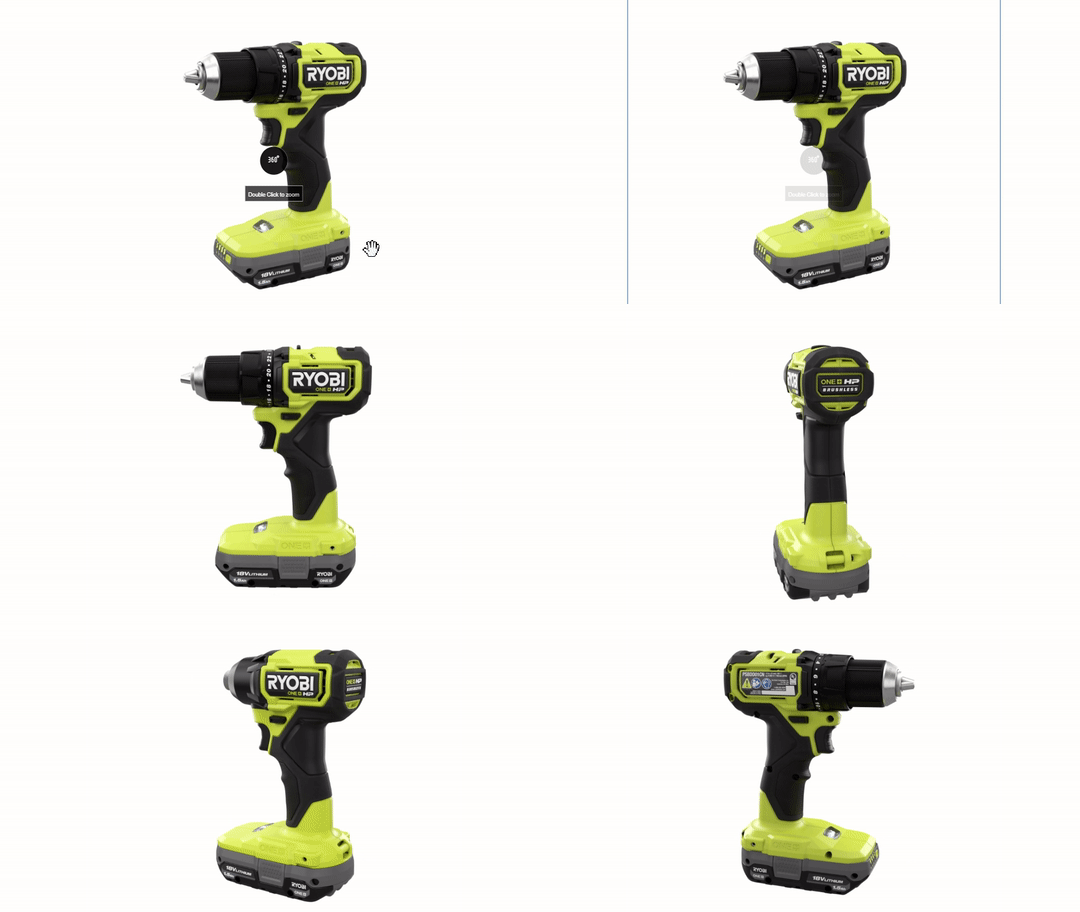
360º Spins can be added to the PIP to show off the product from any angle in an interactive way. 360° Spins enhance the customer experience, providing an interactive way to view the product from any angle.
Process
To add a 360° Spin to your product page on HomeDepot.ca, please follow these steps:
- Inform your E-Commerce Merchandizing Specialist or Brand Advocate Analyst and provide a list of articles you wish to enhance with 360° Spins.
- Gather photography assets (see requirements below).
- If your products already have 360 Spins attached to them on HomeDepot.com, it may be possible for us to use the existing assets.
- Submit assets to your EMS or BAA.
- The Digital Content Enrichment Team will process your request and publish the 360° Spin(s) to your product page(s) on a first-come, first-served basis.
Asset Requirements
- 360° Spins are built from 24 or more images taken at equal increments in a circle around the product (if there are 24 images, they should be taken at 15-degree increments)
- The product should appear at eye level in every image
- The product should appear on a white (Hex Code: #FFFFFF) background
- Each image should be 2000 x 2000 pixels
- JPG format required
- Naming convention: 1001001101_360_001.jpg, 1001001101_360_002.jpg, etc.